Full-StackPrototype2025
Schedulo
A real-time shift scheduler: employees swap shifts with a colleague in two clicks, and managers plan the week on a drag-and-drop board with conflict warnings and analytics.
- 3
- Real-time Firestore listeners
- 6
- Manager views over one dataset
- 24
- Swap requests handled in testing
Timeline
Nov 2025
Role
Lead developer: dashboards, swaps, calendar, analytics, data layer
Team
Two developers; a teammate built the sign-up flow
Domain
Workforce management · Retail and hospitality
Status
Prototype
Stack
Source
Section 01
Overview
In most shift jobs, swaps happen over text messages and the roster lives on paper or in a spreadsheet, so nobody is sure which version is current. Schedulo puts the roster, the swap handshake and the history of every change in one shared place that updates live.
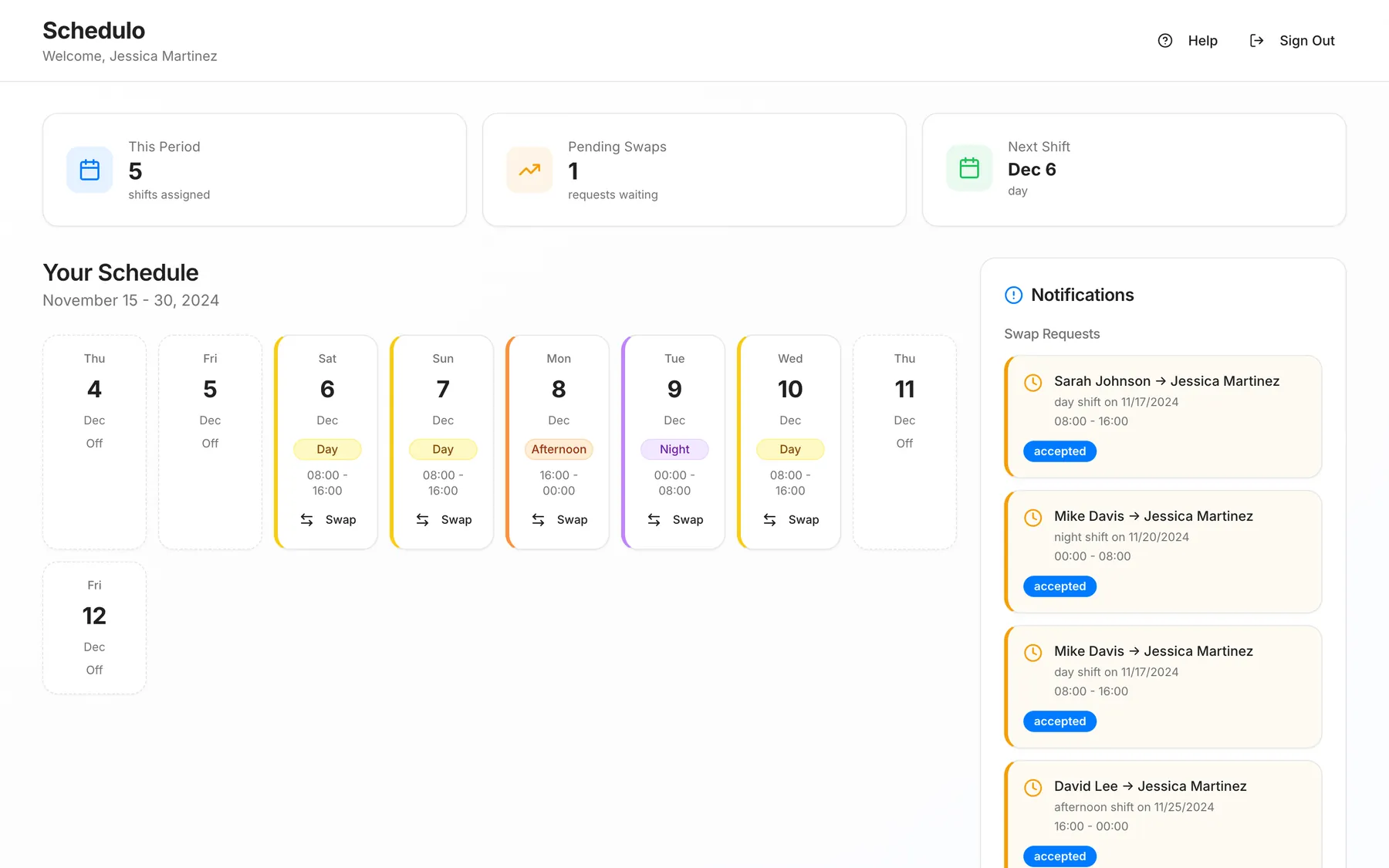
It has two roles. Employees see their week, request a swap with a colleague and answer requests sent to them. Managers plan the whole store on a week grid, see conflicts, and read the schedule through charts and an activity log.
Section 02
Architecture
Schedulo is a React and TypeScript single-page app on Cloud Firestore, with no server of its own. Five collections hold users, shifts, swap requests, availability and an activity log. Three onSnapshot listeners stream shifts, swap requests and the log, so a swap accepted on one screen moves the shift on every other screen at once.
The hardest bug was identity. Shifts and swaps referred to employees by a short ID while user records used Firestore's generated IDs, which broke the analytics and the swap flow in different ways. I traced it with an in-app diagnostics page, wrote repair tooling for existing records, and standardised one ID scheme across the app.
Section 03
Shift Swaps
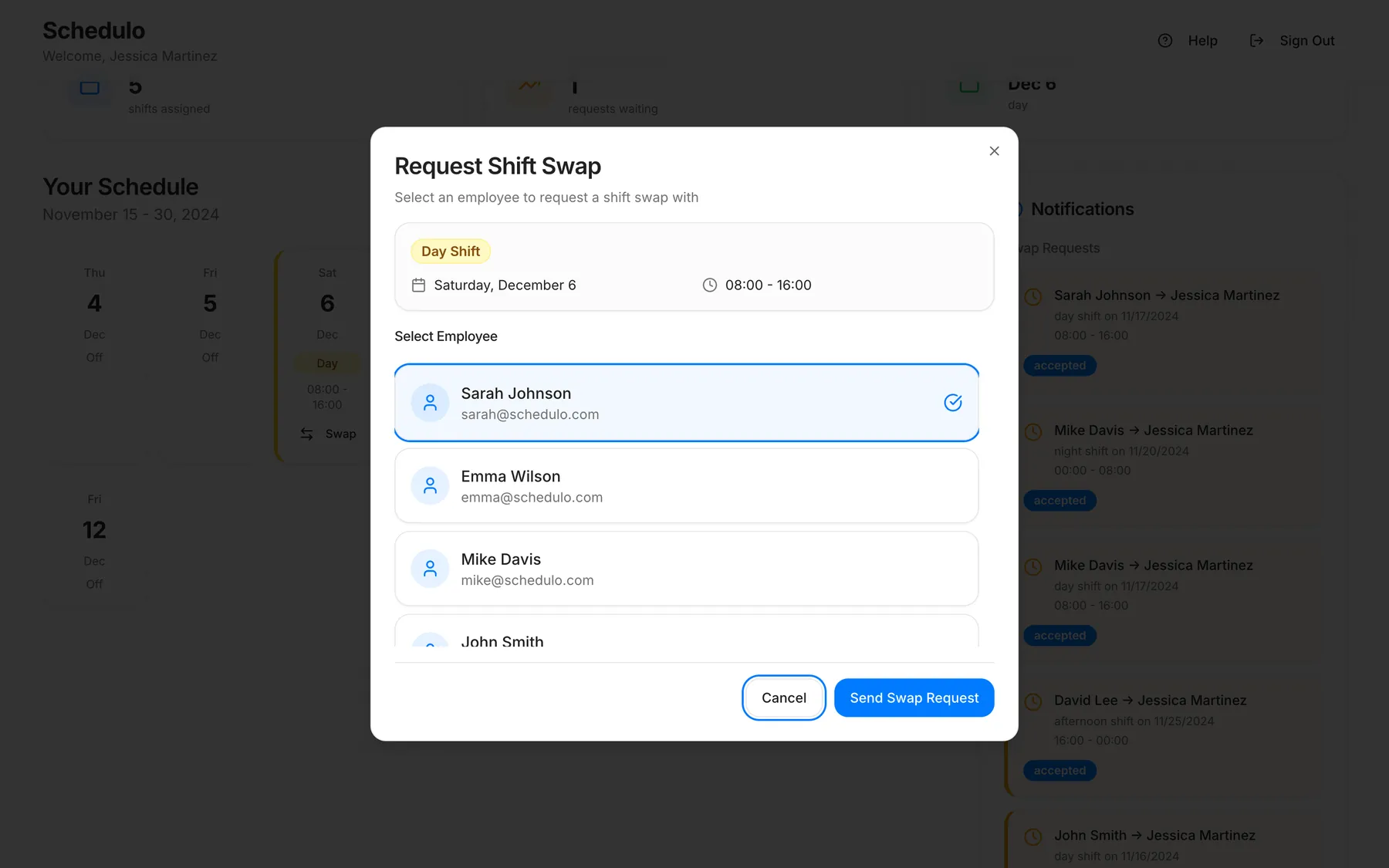
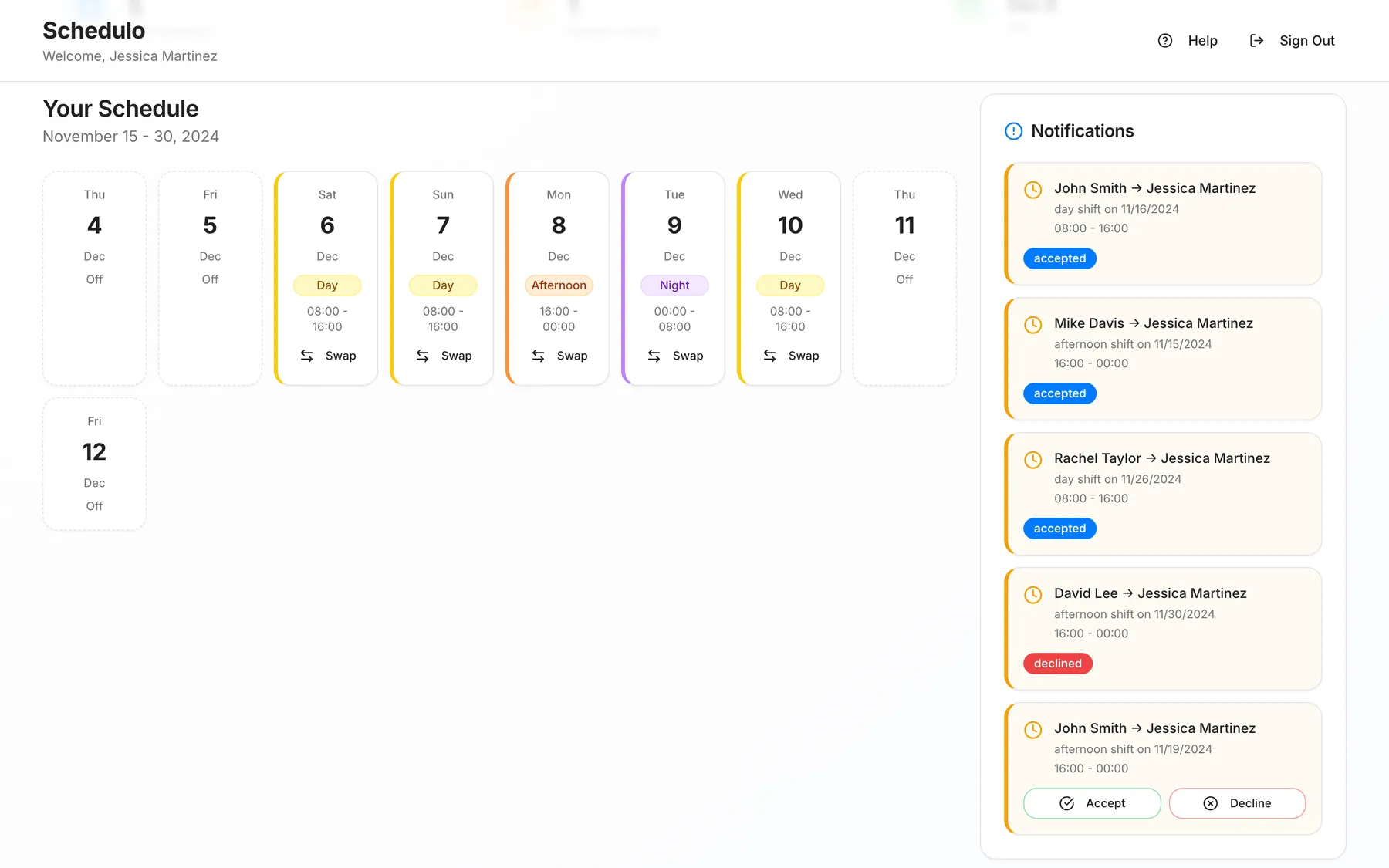
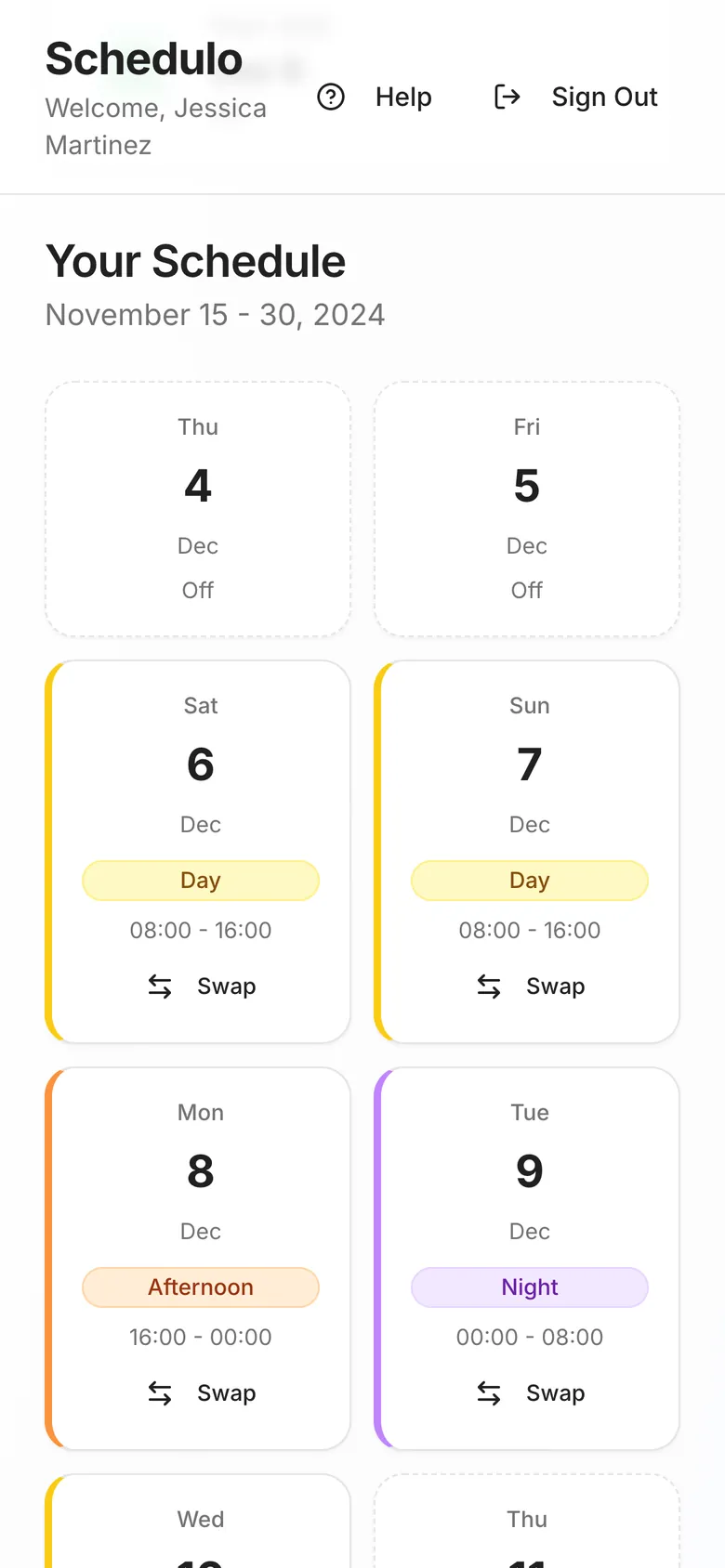
An employee picks a shift, chooses a colleague and sends the request. It appears in the colleague's sidebar in real time with Accept and Decline. Accepting reassigns the shift and writes the change to the activity log, so the manager sees who swapped what and when.
Section 04
Manager Tools
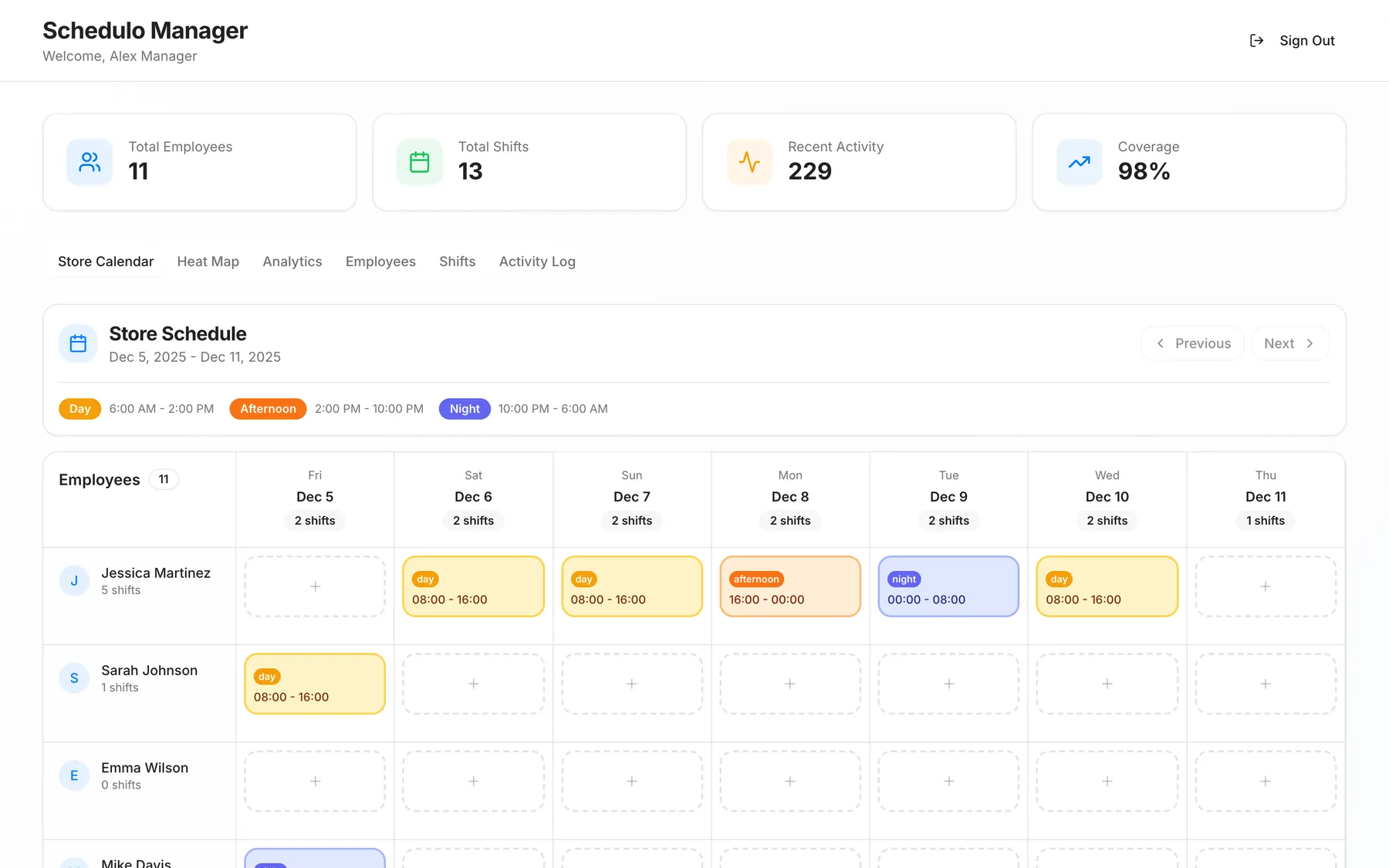
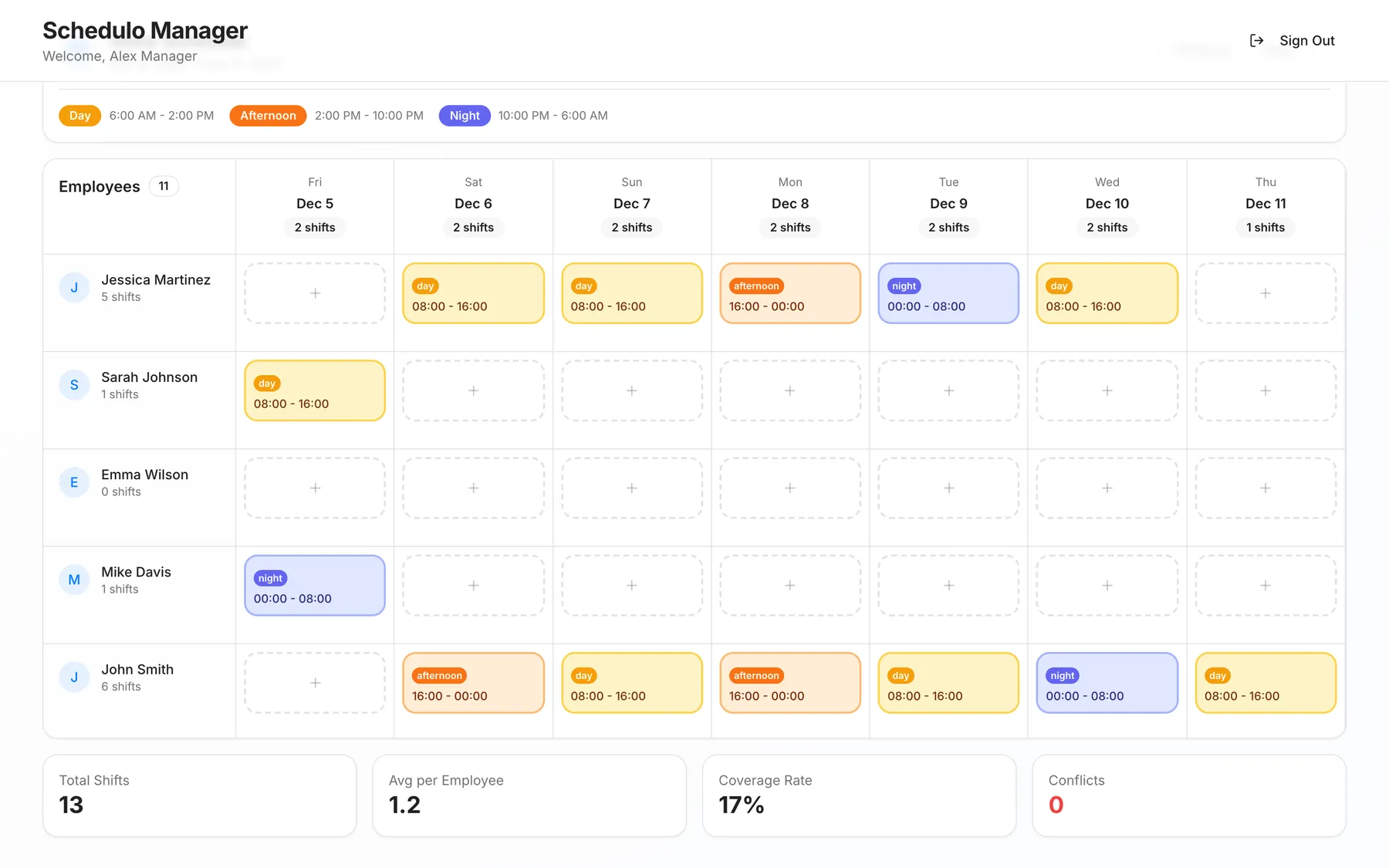
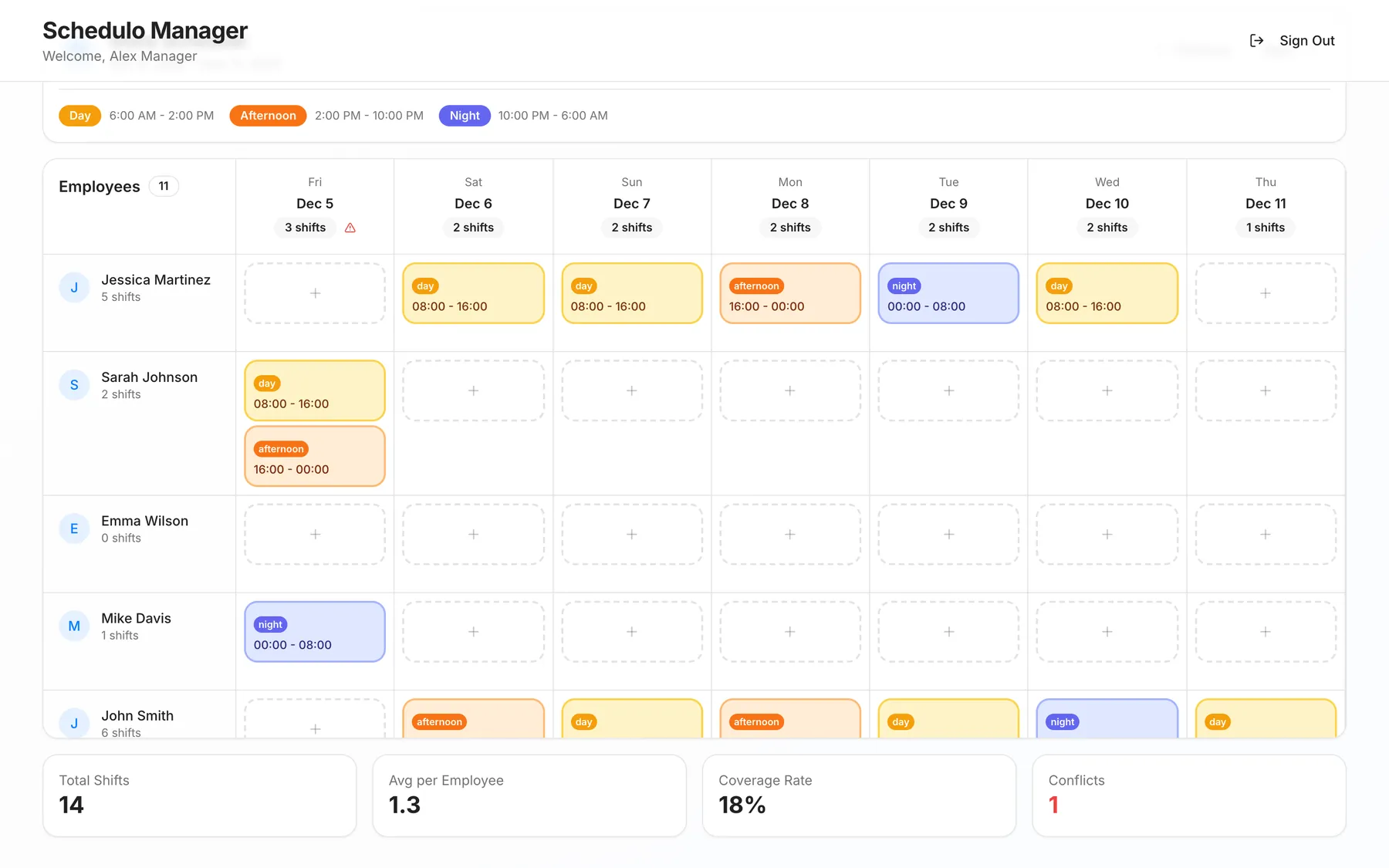
The store calendar lays every employee against seven days. Clicking an empty cell creates a shift for that person and day, and dragging a shift moves it to someone else or another day. Booking someone twice on one day raises a warning on that date and in the conflict count.
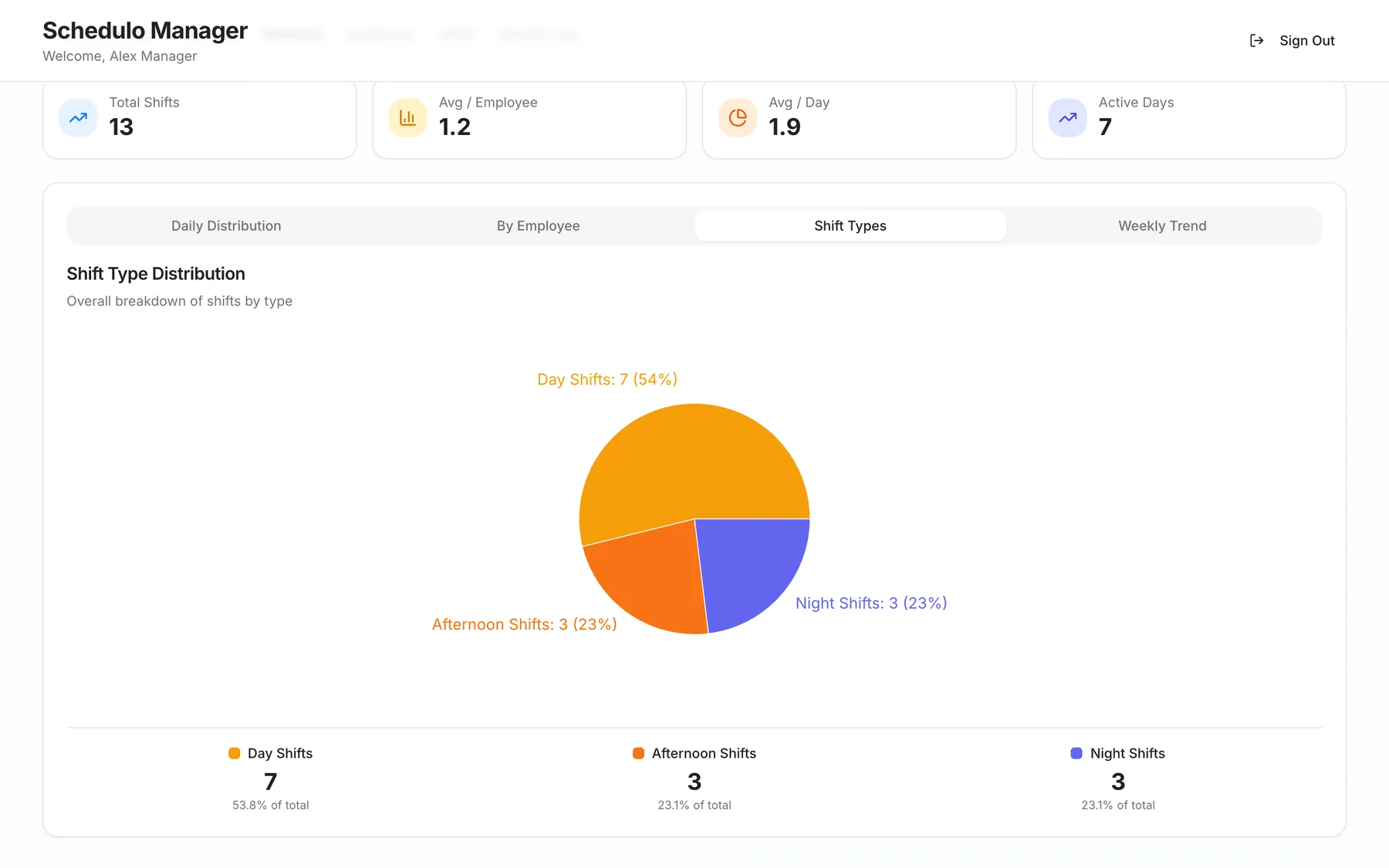
Analytics recompute in the browser from the live shift listener: shifts per day, per employee and per type, plus a weekly trend. An availability heat map colours each employee's open hours per day; in this prototype the availability is generated sample data.
Section 05
Onboarding and Mobile
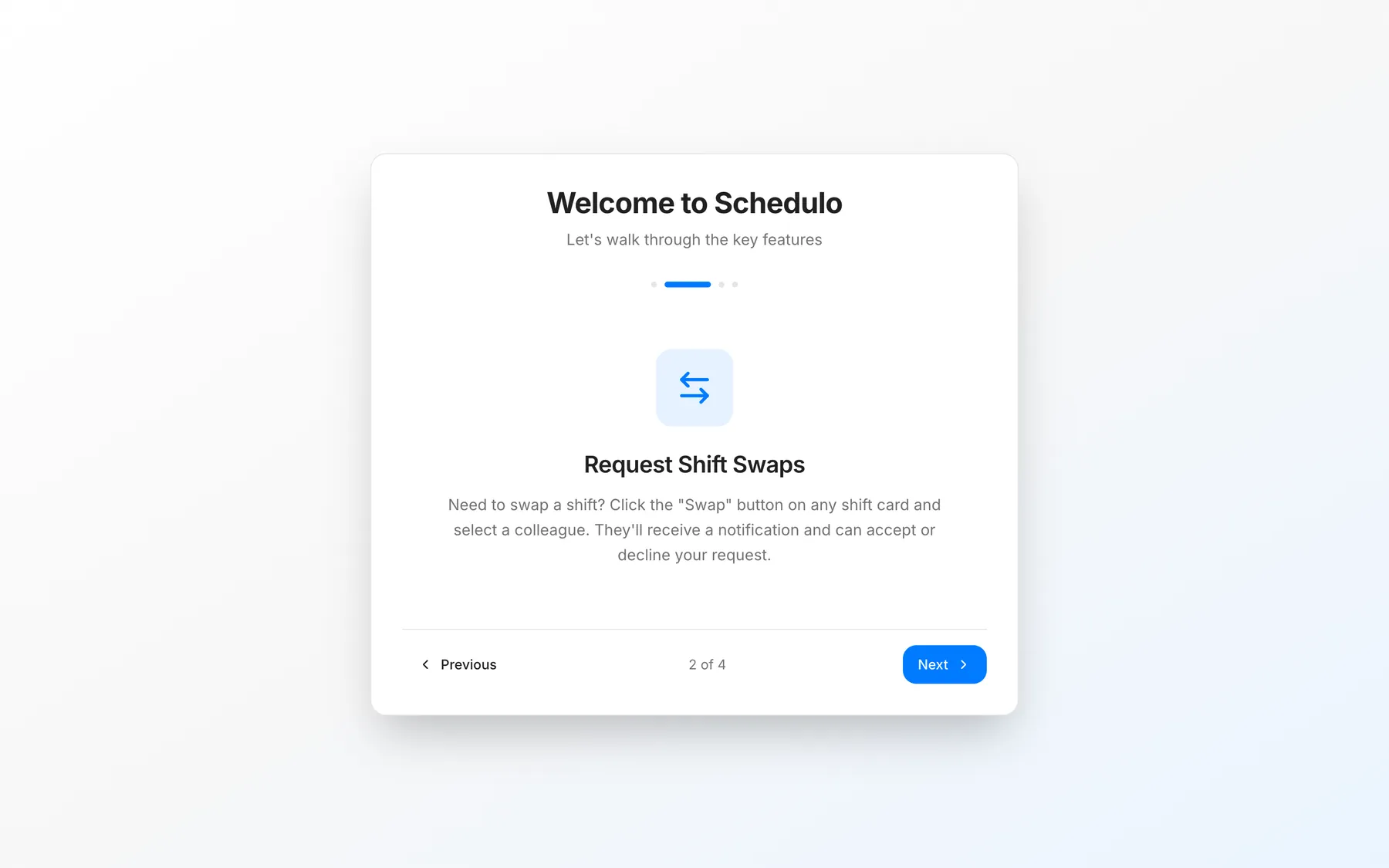
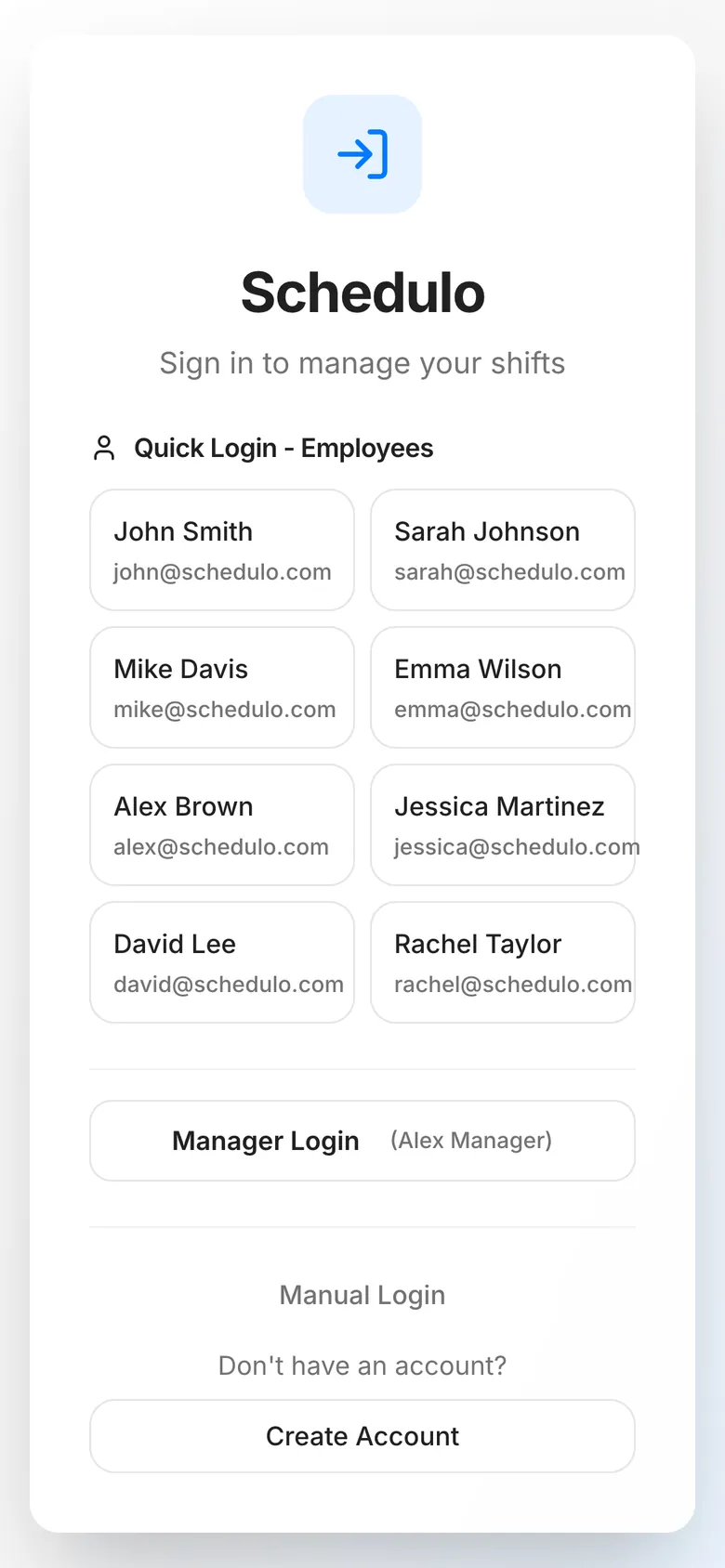
A four-step tutorial walks new users through the schedule, swaps, conflicts and the manager view. The employee schedule reflows into two columns on a phone, where most shift workers would check it.
Section 06
What I'd Harden Next
Schedulo works end to end as a prototype. To run it for a real team I would:
- Replace demo logins with Firebase Authentication and enforce roles in Firestore security rules
- Make swaps a single Firestore transaction that checks the shift's owner and the recipient's day
- Compare shift times in conflict detection, not just shifts per day
- Let employees enter their own availability and overlay it on the schedule