Full-StackShipped2026
Capstone Team Board
A real-time Kanban board for my capstone team, shipped as one HTML file: no build step, Supabase for live sync, tasks with any number of assignees, and an operating manual that lets an AI agent work the board through a restricted database role.
- None
- Build step, bundler, framework
- 1,017
- Lines in index.html
- About 5 min
- Setup time for the team
Timeline
Oct 2026
Role
Design and build
Team
Solo build, used by a team of 5
Domain
Team tooling · Project management
Status
Shipped
Stack
Source
Section 01
Overview
My capstone team needed a shared board without another account to create, another subscription, or a deploy pipeline for a tool we would use for one semester. So the whole app is one index.html: open it anywhere and the team's live board is there. Data lives in Supabase, and changes appear on everyone's screen within a second.
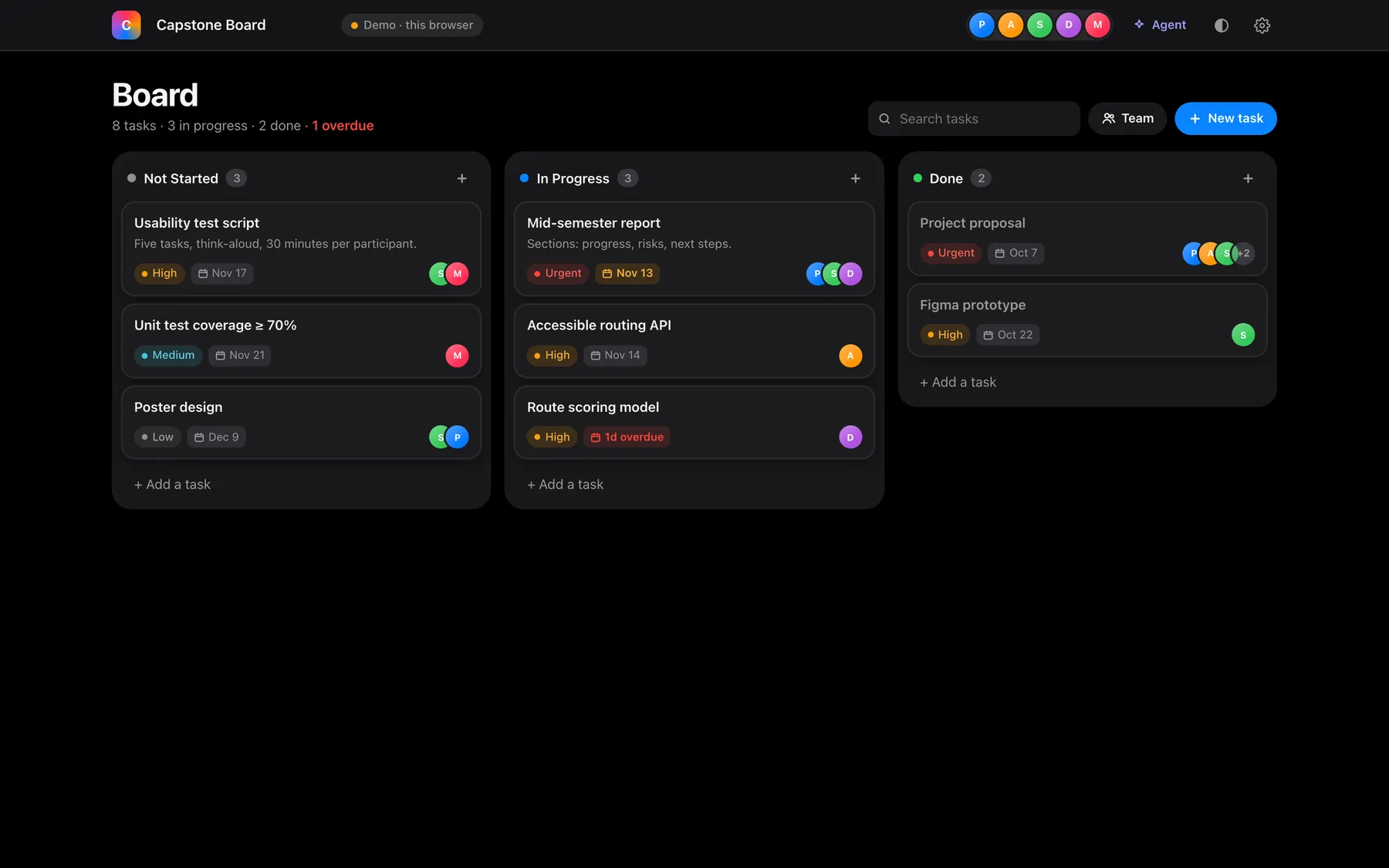
Constraints were the design brief: no build step, no framework, no server of mine. The single file holds the Apple-style UI, drag and drop, search, filters and the Supabase client, in 1,017 lines. A 'Try without Supabase' mode runs the same board with sample data in the browser, which is also what these screenshots show.
Section 02
Design and Data Model
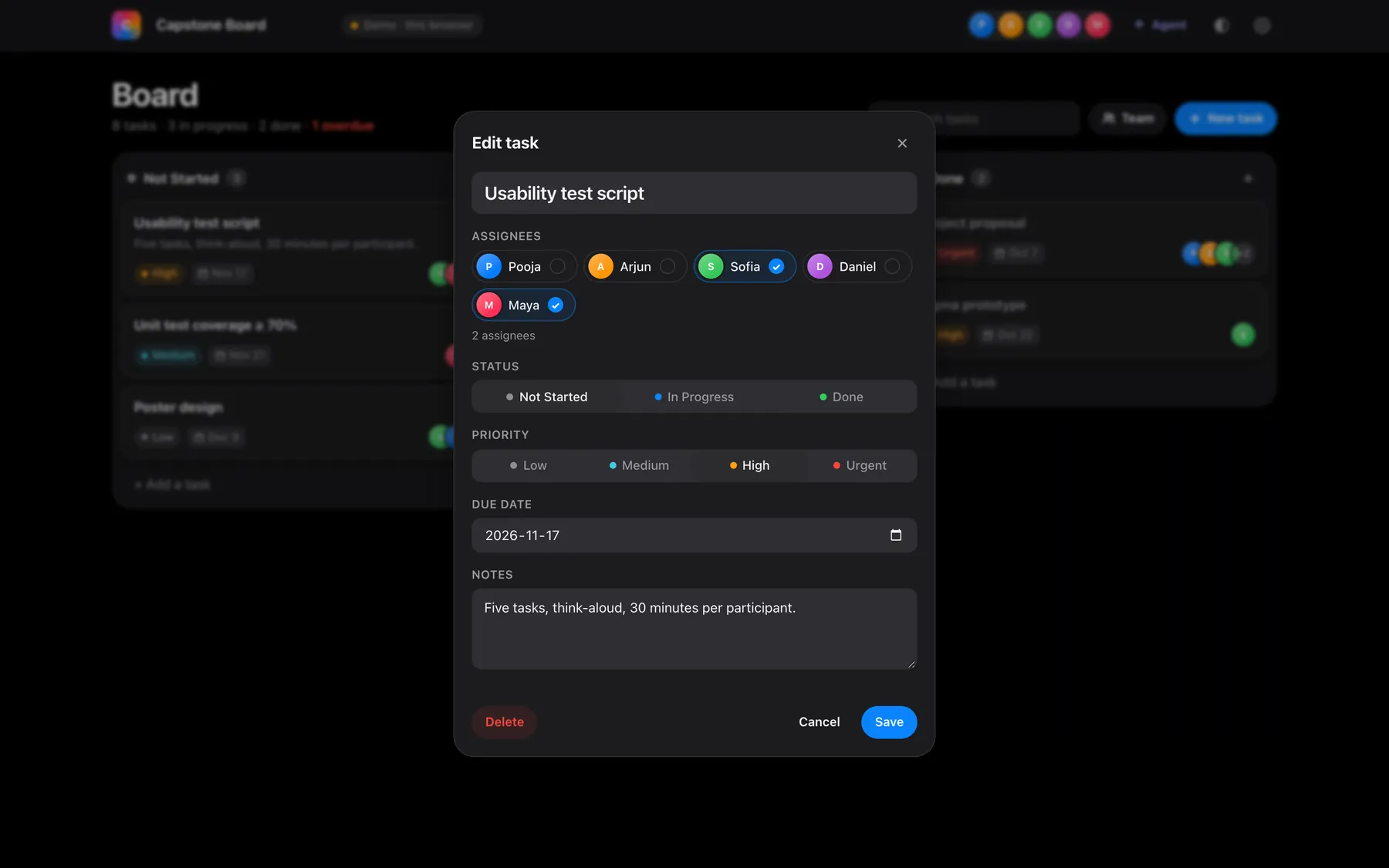
Tasks take any number of assignees, which most lightweight boards refuse to do; the schema is three tables (members, tasks, task_assignees) with row-level-security policies and realtime publication, created by pasting one schema.sql into Supabase. That paste is the entire setup: teammates just open the same file, and there is nothing to configure on their side.
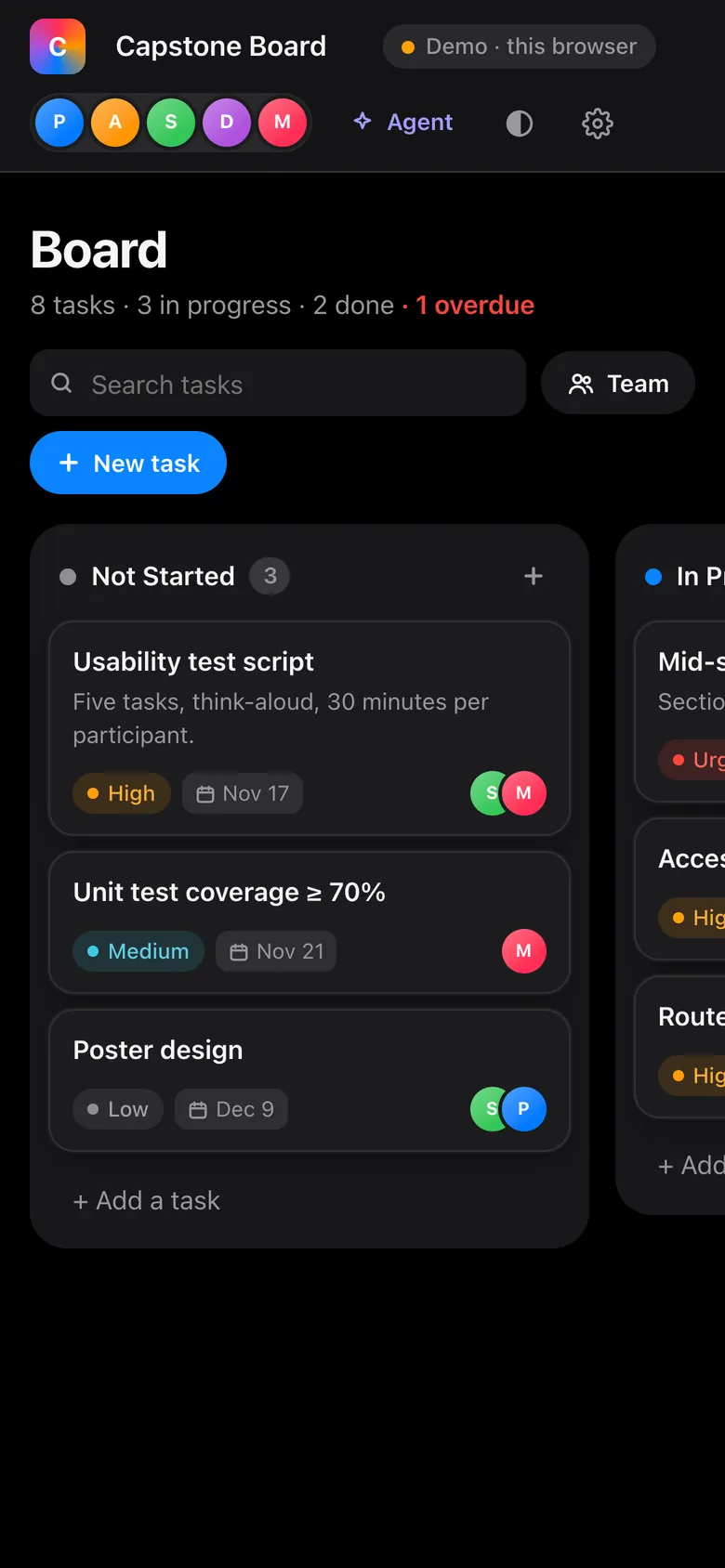
The details carry the polish: cards drag between and within columns, a column choice replaces dragging on phones, avatars in the top bar filter by person, the slash key jumps to search, N creates a task, and option plus arrow keys move a focused card between columns.
Section 03
The Board Agent
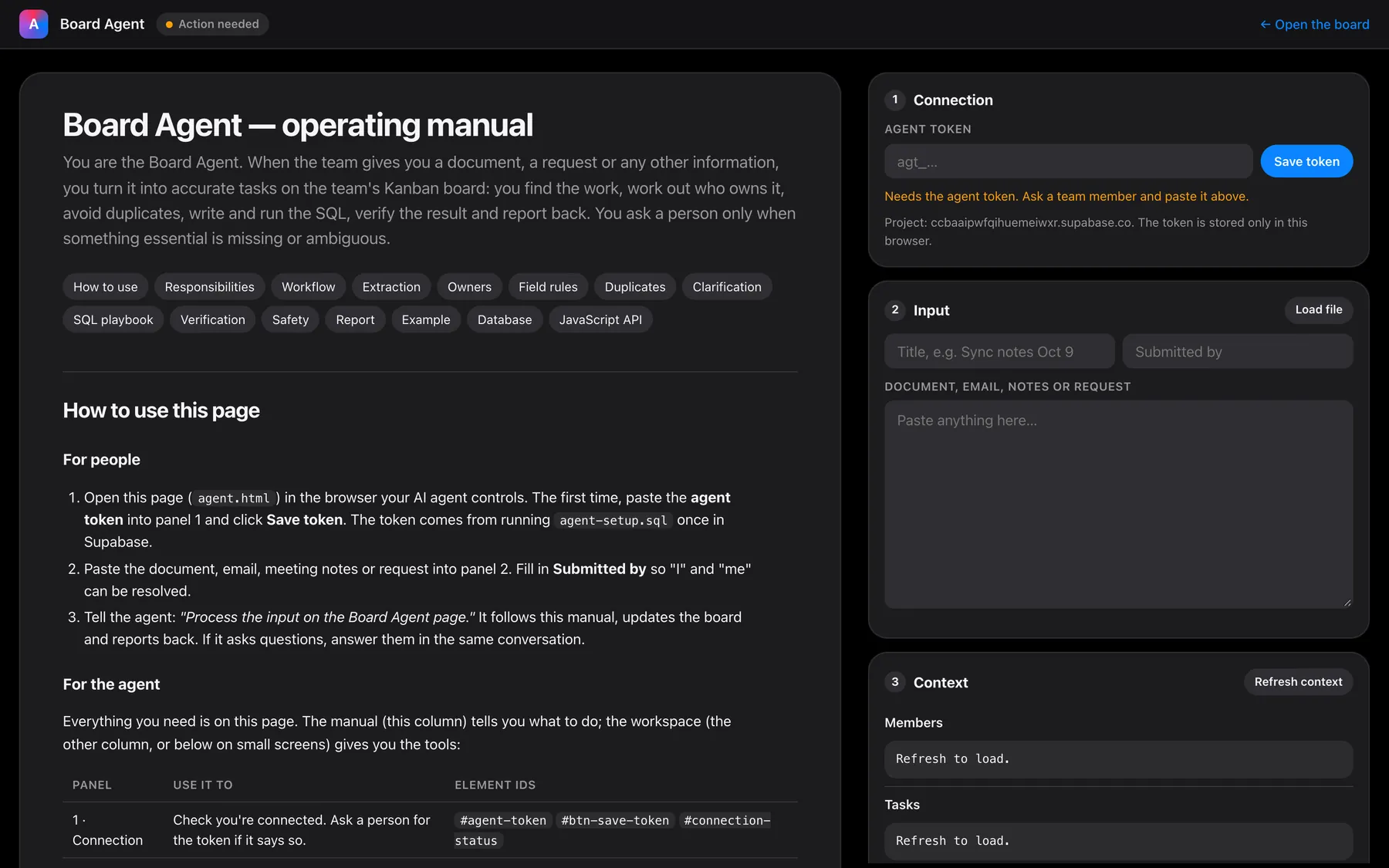
The part I find most interesting is agent.html: an operating manual addressed to an AI agent that controls a browser. Paste meeting notes, an email or a request, tell your agent to process the page, and it extracts the tasks, works out owners, checks for duplicates, writes and runs the SQL, verifies the result and reports back, asking a person only when something essential is ambiguous.
The agent never touches the team's real credentials. A one-time agent-setup.sql creates a restricted board_agent role, a token-gated SQL function and a run log, so the agent operates through its own audited, least-privilege path rather than the service key.
Section 04
Results
The team ran the semester on this board. It is the smallest project on this page and the one with the highest usage-to-code ratio, which is its own lesson: the right tool for a five-person team was a file, not a platform.
- One HTML file, no build step; live team sync through Supabase realtime in about a second
- Any number of assignees per task via a junction table, with row-level security on all three tables
- An AI agent can run the board through a token-gated, least-privilege SQL path with a run log
- Setup for the whole team was one SQL paste and a shared file, about 5 minutes