AI / MLIn Progress2026
Clinic Voice Receptionist
A real-time AI voice receptionist for a family clinic: it answers calls, books, cancels and reschedules appointments in Google Calendar, and answers questions only from what the clinic has told it.
- 5
- Tools the agent calls: check, book, find, cancel, reschedule
- 3
- Nearest open times offered when a slot is taken
- 3
- Languages it answers in: English, Spanish, Hindi
Timeline
Oct 2026
Role
Voice agent, tool design, calendar integration and interface
Team
Solo
Domain
Voice AI · Agentic AI · Healthcare scheduling
Status
In Progress
Stack
Section 01
Overview
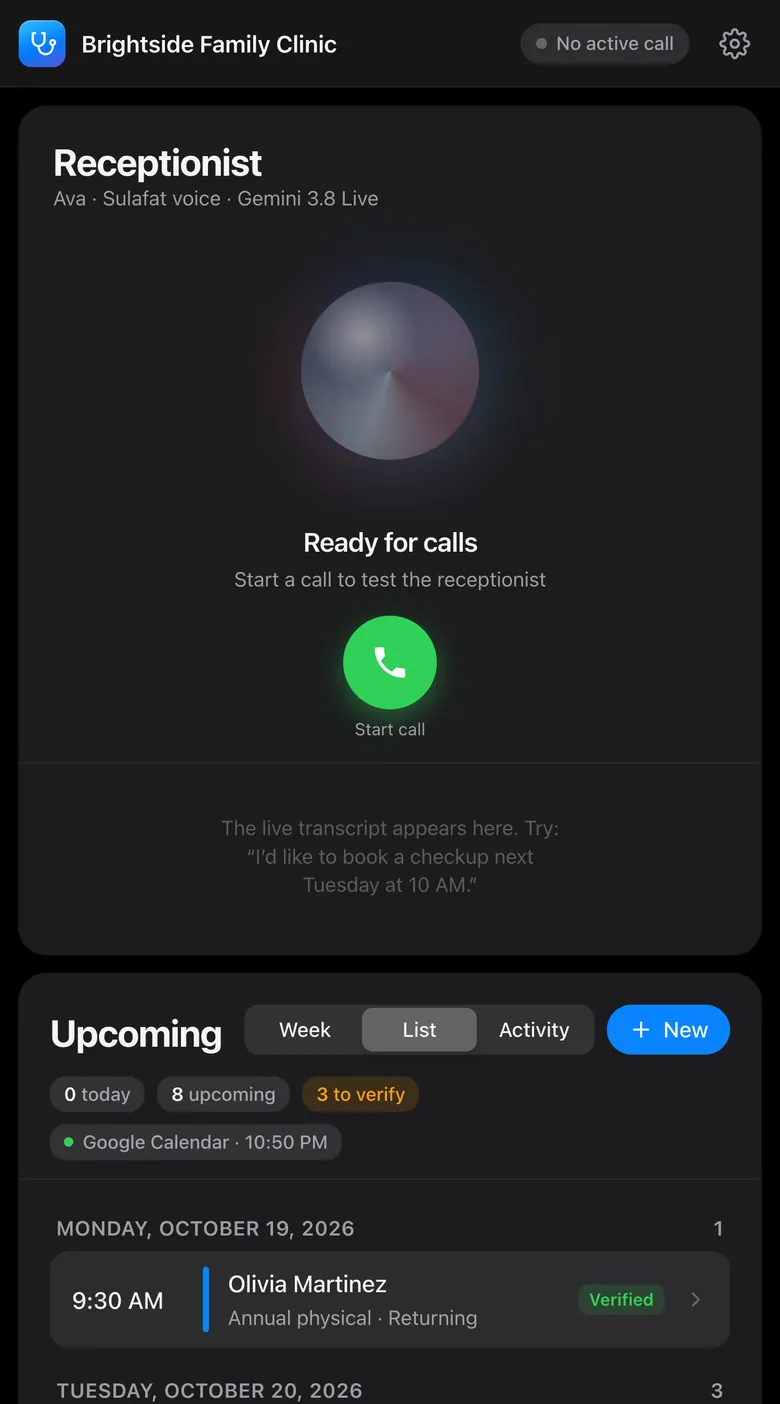
Small clinics lose calls when the front desk is busy. This project puts Ava, an AI receptionist, on the line for a demo practice, Brightside Family Clinic. Callers talk to her in plain speech; she books, cancels and reschedules appointments, answers questions about hours, insurance and prices, and reads back a confirmation code.
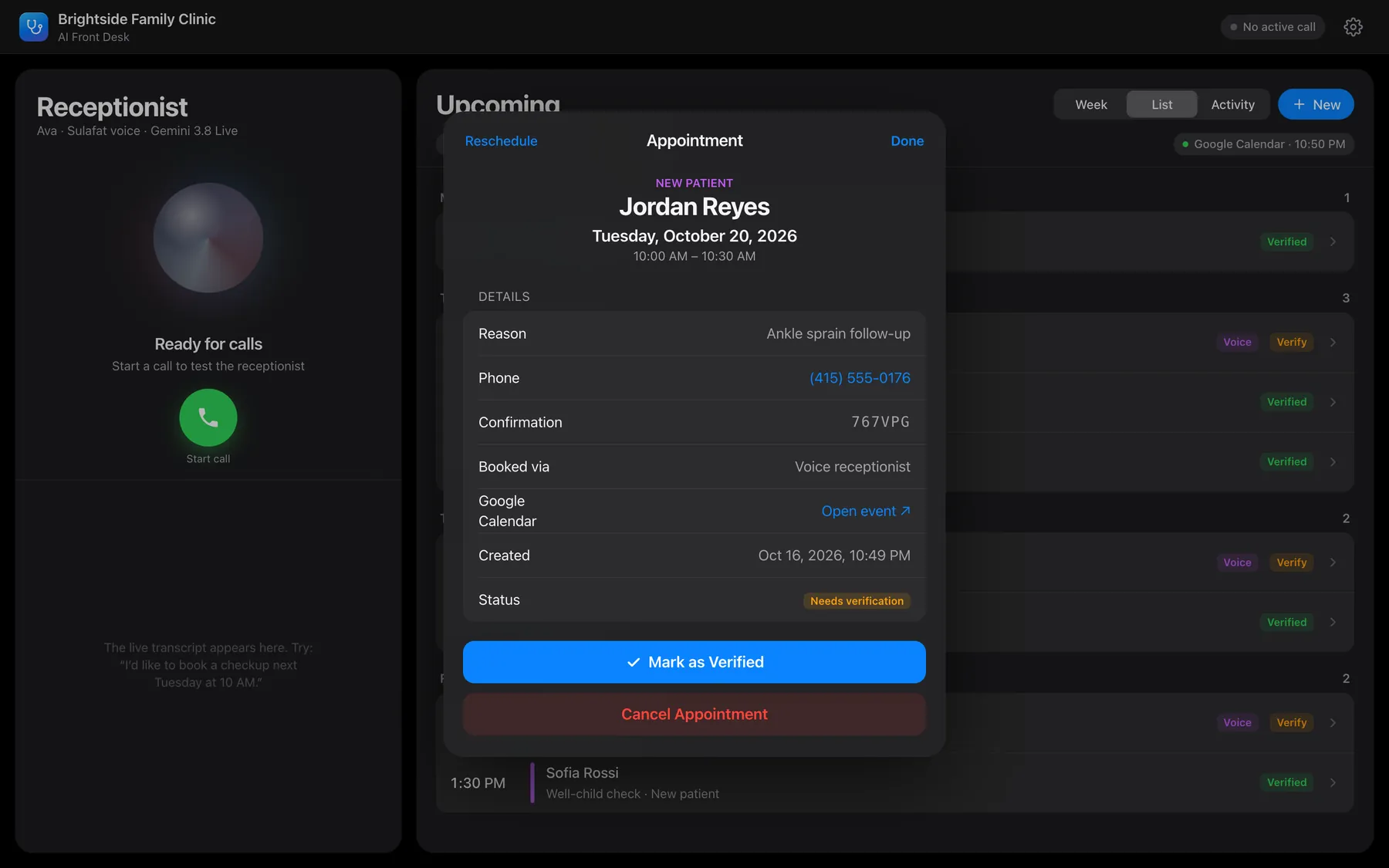
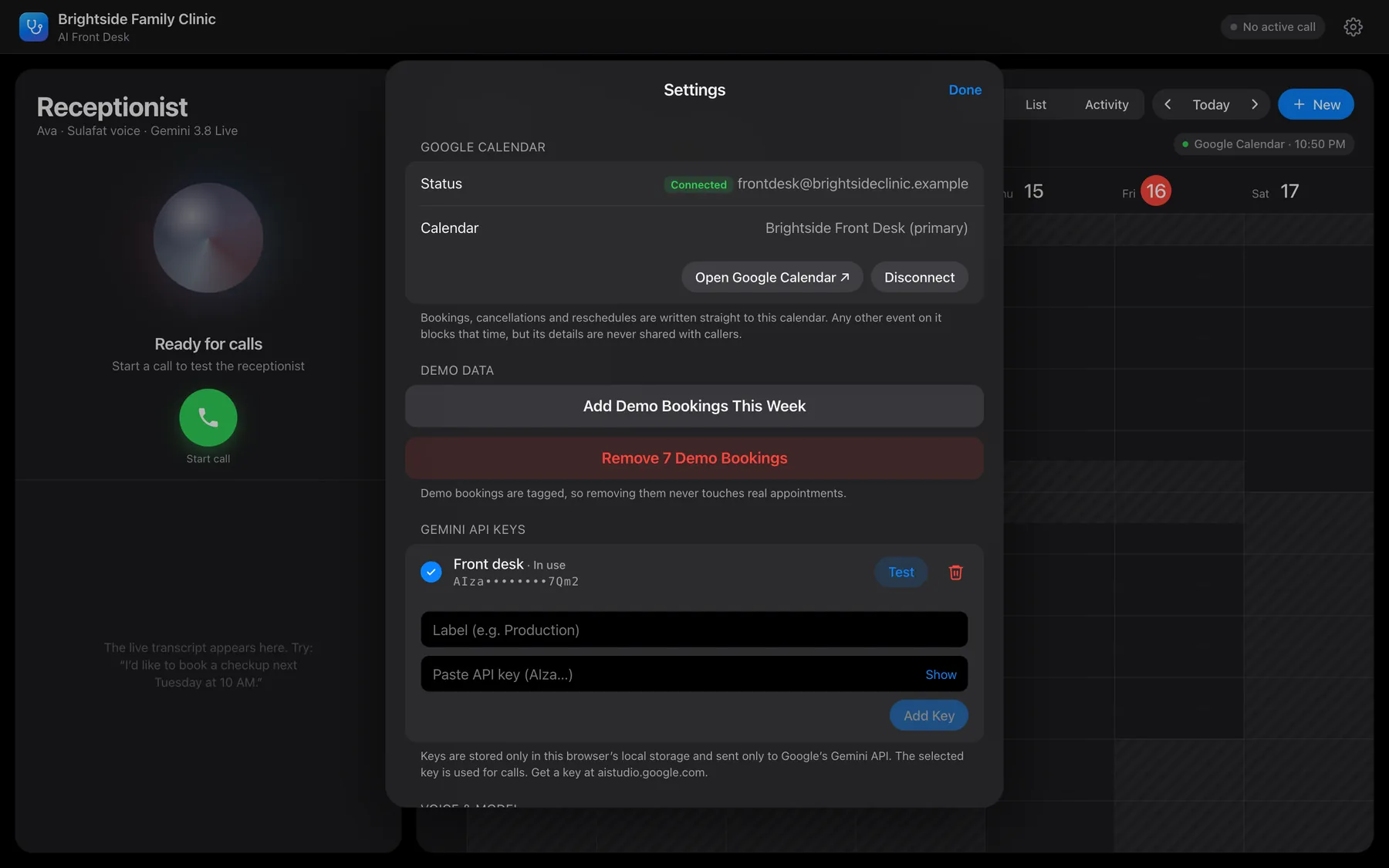
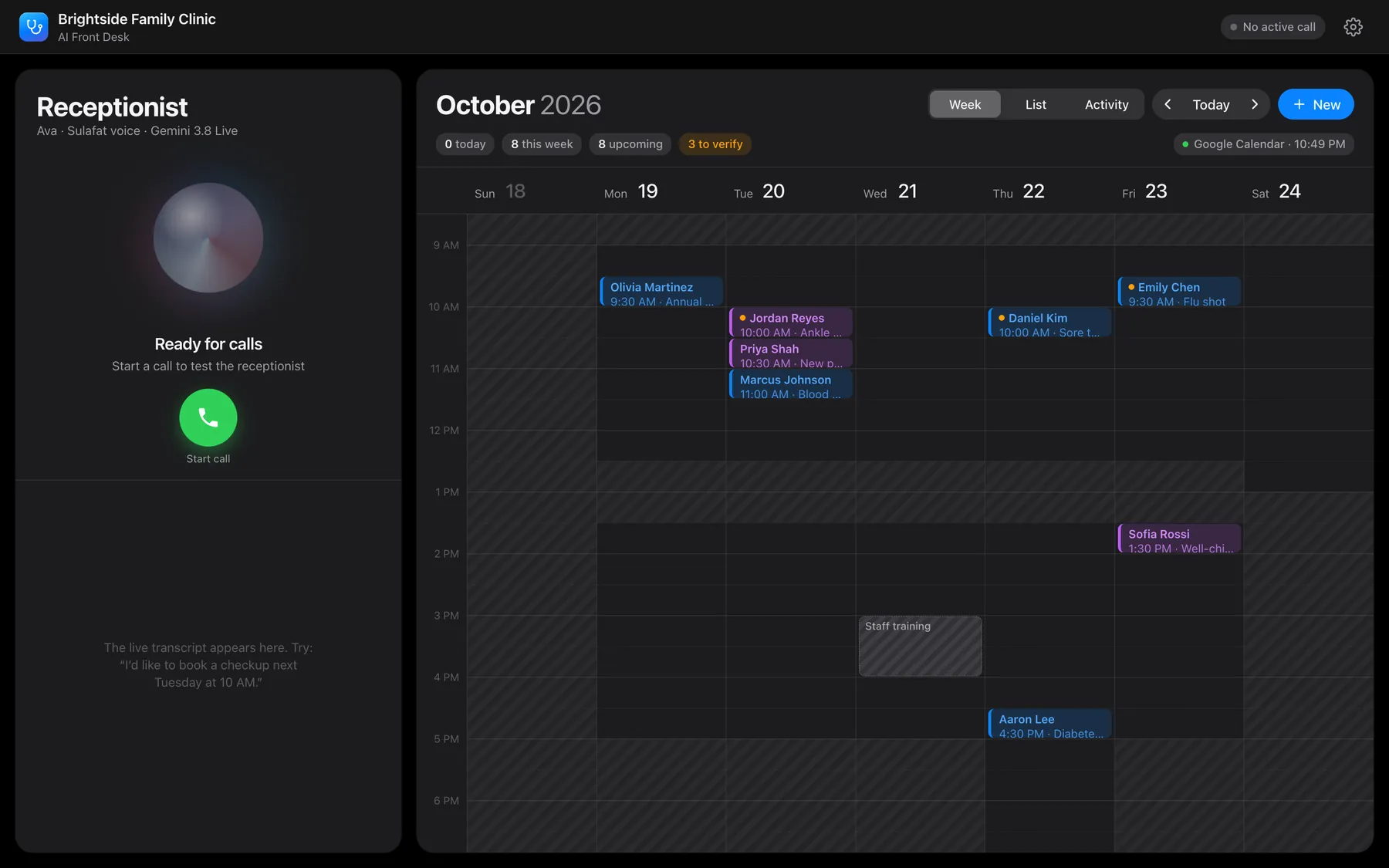
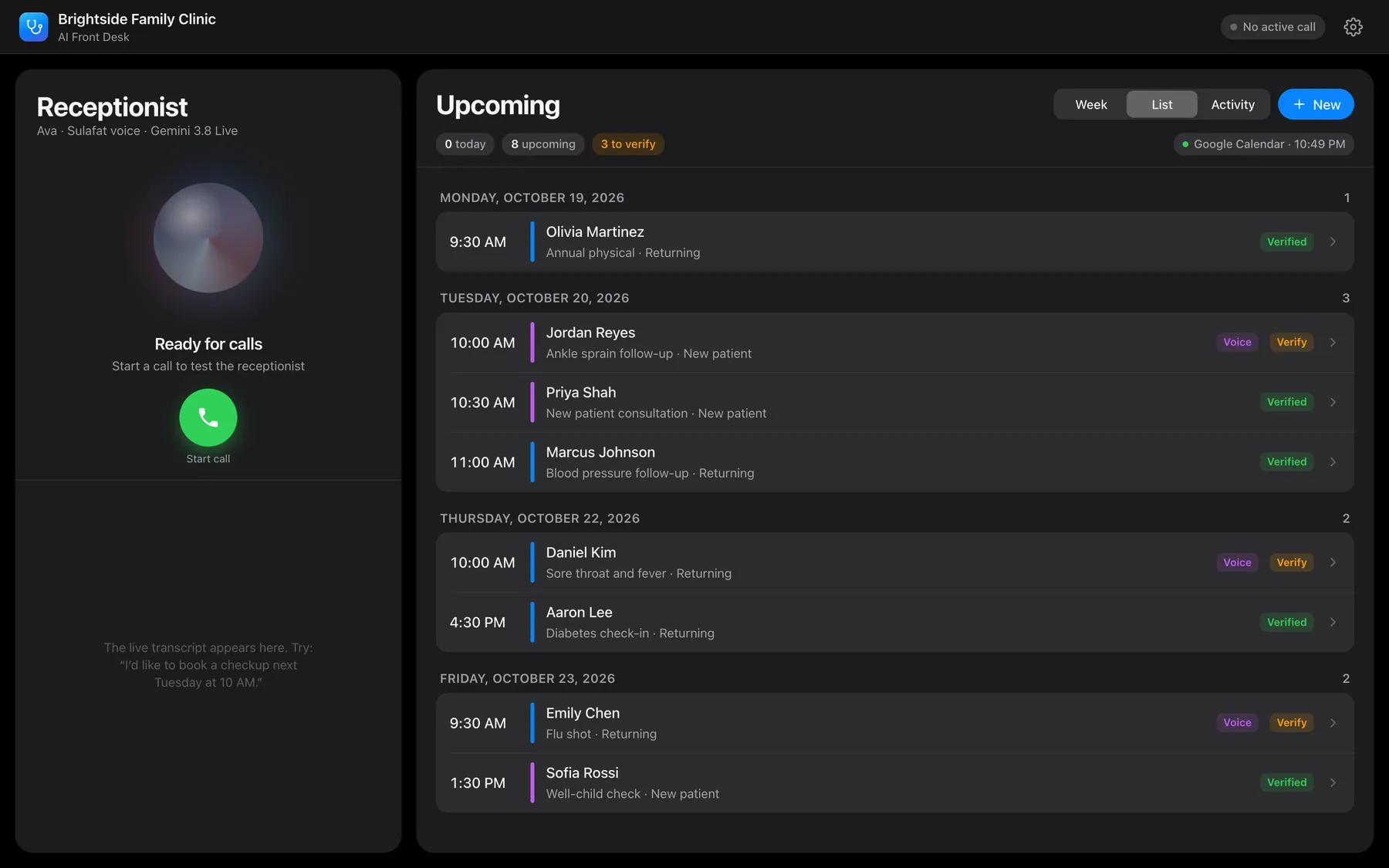
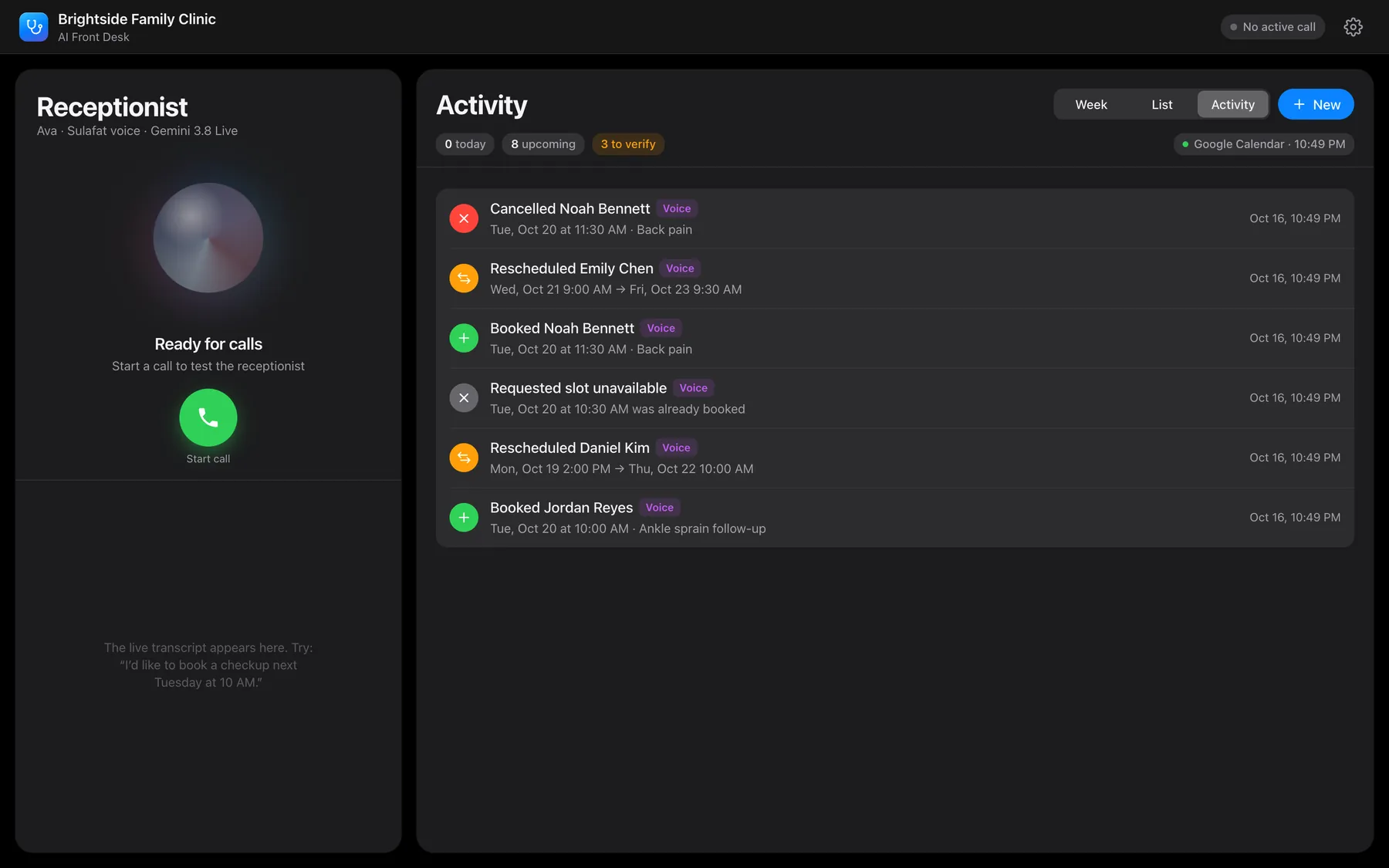
The front desk sees everything on one screen: the call and its live transcript on the left, and the clinic's week on the right, synced from a real Google Calendar. Every booking, cancellation and reschedule is written straight to that calendar, so staff can keep working in the tool they already use.
Section 02
A Real-Time Voice Call
The call runs on the Gemini Live API, which takes audio in and speaks back with no separate speech-to-text or text-to-speech step. An AudioWorklet resamples the microphone to 16 kHz, 16-bit PCM and streams it in 50 ms chunks; replies play back at 24 kHz. If the caller talks over Ava, playback stops at once and she listens.
Both sides are transcribed live into the panel, and tool results appear inline so staff can see why Ava said what she said. Long calls stay connected through context compression and session resumption, and if the microphone is blocked the call carries on in type-to-talk mode, which also makes the receptionist easy to test.
Section 03
Tools, Not Guesses
Ava never decides from memory whether a time is free. She has five function-calling tools: check availability, book, find the caller's appointments, cancel and reschedule. Every tool call first re-reads the calendar, because staff may have changed it by hand a moment ago.
The rules live in code, not in the prompt: 30-minute slots on the hour or half hour, the clinic's opening hours and lunch break, and no times in the past. When a slot is taken, the tool returns the three nearest open times, on the same day first and then over the next two weeks. Any other event on the calendar, such as staff training, blocks that time too. A booking needs a full name and a phone number, and returns a six-character confirmation code that leaves out look-alike characters such as 0 and O.
In a scripted test against a stand-in calendar, each tool behaved as designed: a taken 10:30 slot came back with 9:30, 10:00 and 11:30; a Sunday request returned "closed" with the next openings; a booking with only a first name paused to ask for details; and a lookup with the wrong phone number found nothing.
Section 04
Private by Design
A receptionist hears about other people's health, so privacy is built into the data layer, not just the prompt. Tools only ever return a caller-safe view of an appointment. A caller's bookings are found only when their name and phone number both match, Ava never says who holds a slot, and other calendar events block time without their details ever reaching a caller.
Bookings made by voice are marked Needs verification until a person at the front desk confirms them. The instructions also rule out diagnosis and medication advice and send emergencies to 911. Google sign-in runs through a small local OAuth broker, so the client secret and refresh token stay on the server and the browser only receives short-lived access tokens; Gemini keys stay in the browser's local storage and a production build never ships one.
- Status: in progress, running locally; not yet connected to a phone line
- Screenshots use the app's tagged demo bookings on a stand-in calendar, not patient data